¶ Recommended Softphones
To test AVR with your SIP/PBX setup, you’ll need a softphone client.
Here are our recommendations based on operating system:
| OS | Recommended Softphone | Download Link |
|---|---|---|
| macOS | Telephone | App Store |
| Linux (Ubuntu/Debian) | GNOME Calls | Flathub |
| Windows | MicroSIP (portable & lightweight) | Official site |
💡 We recommend Telephone on macOS and GNOME Calls on Ubuntu for simplicity and compatibility.
¶ macOS – Telephone
¶ Step-by-Step Setup
¶ 1. Open Settings → Add Account
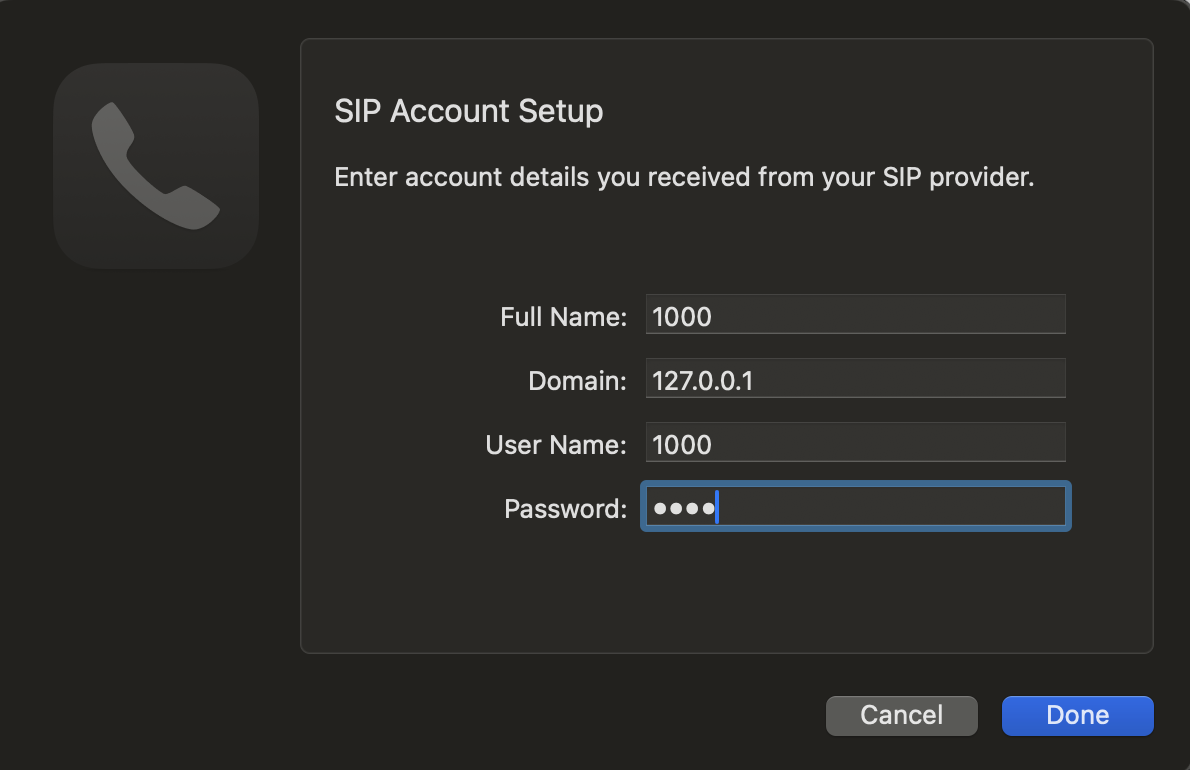
Fill in the following values:
- Fullname:
1000 - Domain:
127.0.0.1 - User Name:
1000 - Password:
1000
¶ 2. Go to the "Network" tab
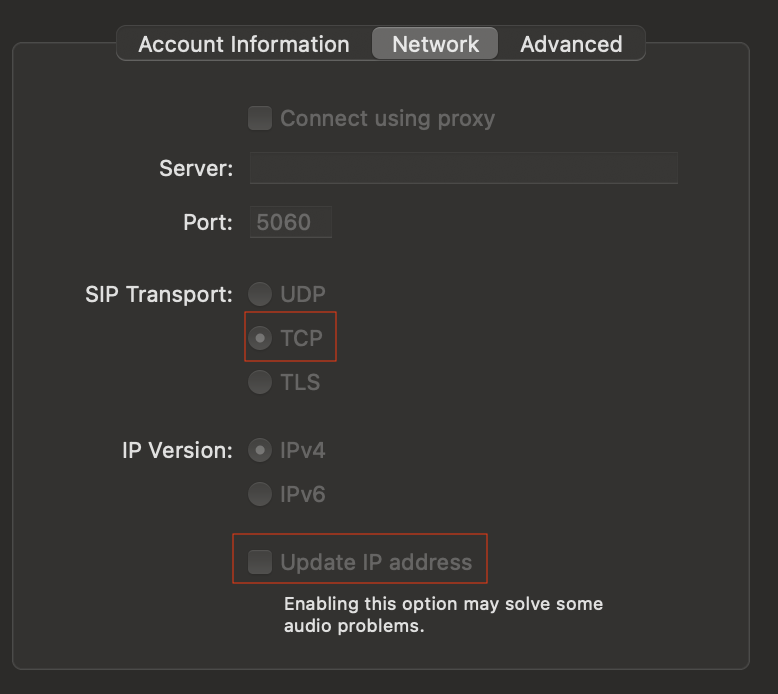
- Select SIP Transport: TCP
- Disable the flag Update IP address → ⚠️ this step is very important
¶ 3. Move to the "Account Information" tab
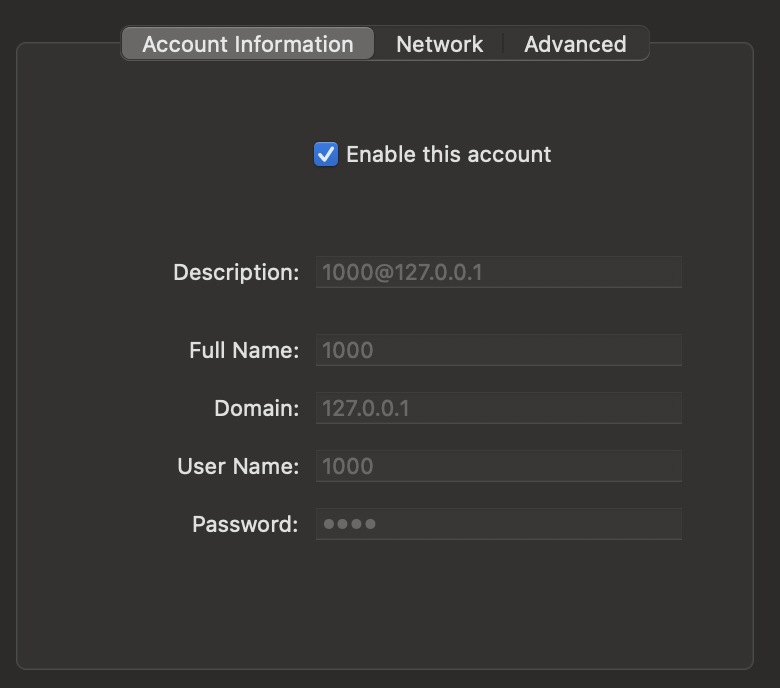
- Enable the checkbox Enable this account
¶ 4. Test your setup

- Dial 600 → this runs the echo test.
- You should hear a voice prompt. Wait until asked to speak, then talk: your voice should be echoed back.
¶ Ready to Use
Your softphone is now configured and working with AVR.
- For default FreePBX extensions → call 5001 and your configured Voicebot will answer.
- Use the echo test (600) anytime you need to verify audio flow.