¶ Running AVR with Local AI Providers
While AVR integrates seamlessly with leading cloud AI providers (such as OpenAI, Google, Deepgram, Anthropic, or ElevenLabs), many organizations prefer to run AI models locally.
Running models on your own infrastructure offers several advantages:
- Privacy & Security: all data remains on-premise, never leaving your servers.
- Cost Control: no recurring API costs; performance depends on your hardware.
- Offline Availability: once models are downloaded, your AI system can work without internet access.
The trade-off is that local setups require more configuration and depend heavily on your CPU/GPU resources for performance. To help you choose the best approach, here is a quick comparison between Cloud vs Local AI Providers:
| Aspect | Cloud AI Providers | Local AI Providers |
|---|---|---|
| Performance | Low latency with GPU-accelerated servers; depends on internet connection | Latency may be higher on CPU; optimized with local GPU acceleration |
| Scalability | Instantly scalable; managed infrastructure | Limited by local hardware resources (CPU, RAM, GPU) |
| Cost | Pay-per-use (API calls, minutes of audio, tokens) | One-time hardware investment; free/open-source models available |
| Privacy | Data processed on third-party servers | Full control; data never leaves your infrastructure |
| Maintenance | No server management; automatic updates | Requires setup, updates, and resource monitoring |
| Flexibility | Wide variety of models and voices (Google, OpenAI, ElevenLabs, etc.) | Limited to models you download and run (e.g., Vosk, Ollama, Kokoro) |
| Availability | Requires stable internet connection | Works offline once models are downloaded |
| Integration | Easy plug-and-play with AVR official connectors | Some manual configuration required with AVR adapters |
This section walks through an example setup using:
• ASR: Vosk
• LLM: Ollama with WebUI
• TTS: Kokoro
At the bottom of this page, you’ll also find a complete Docker Compose example showing how to run AVR with Vosk (ASR), Ollama (LLM), Kokoro (TTS), and Asterisk locally.
⚠️ Note: The configuration below uses CPU-only Docker images.
For real-time performance we strongly recommend GPU-enabled versions of Ollama and Kokoro.
¶ ASR with Vosk
Add the following service avr-asr-vosk to your docker-compose.yml:
avr-asr-vosk:
  image: agentvoiceresponse/avr-asr-vosk
  platform: linux/x86_64
  container_name: avr-asr-vosk
  restart: always
  environment:
    - PORT=6010
    - MODEL_PATH=model
  volumes:
    - ./model:/usr/src/app/model
  networks:
    - avr
📥 Download Vosk models: https://alphacephei.com/vosk/models
Extract them into ./model before starting the container.
¶ LLM with Ollama
Run Ollama and its WebUI frontend:
avr-ollama:
  image: ollama/ollama
  container_name: avr-ollama
  restart: always
  ports:
    - 11434:11434
  volumes:
    - ./ollama:/root/.ollama
  networks:
    - avr

avr-ollama-web:
  image: ghcr.io/open-webui/open-webui
  container_name: avr-ollama-web
  restart: always
  ports:
    - 3001:8080
  volumes:
    - ./ollama-web:/app/backend/data
  environment:
    - OLLAMA_BASE_URL=http://avr-ollama:11434
  networks:
    - avr
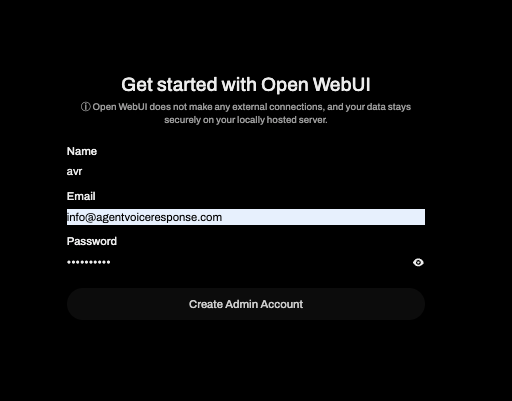
- Open http://localhost:3001 and create an admin account.
- Go to Settings → Models to download a model (e.g. tinyllama).

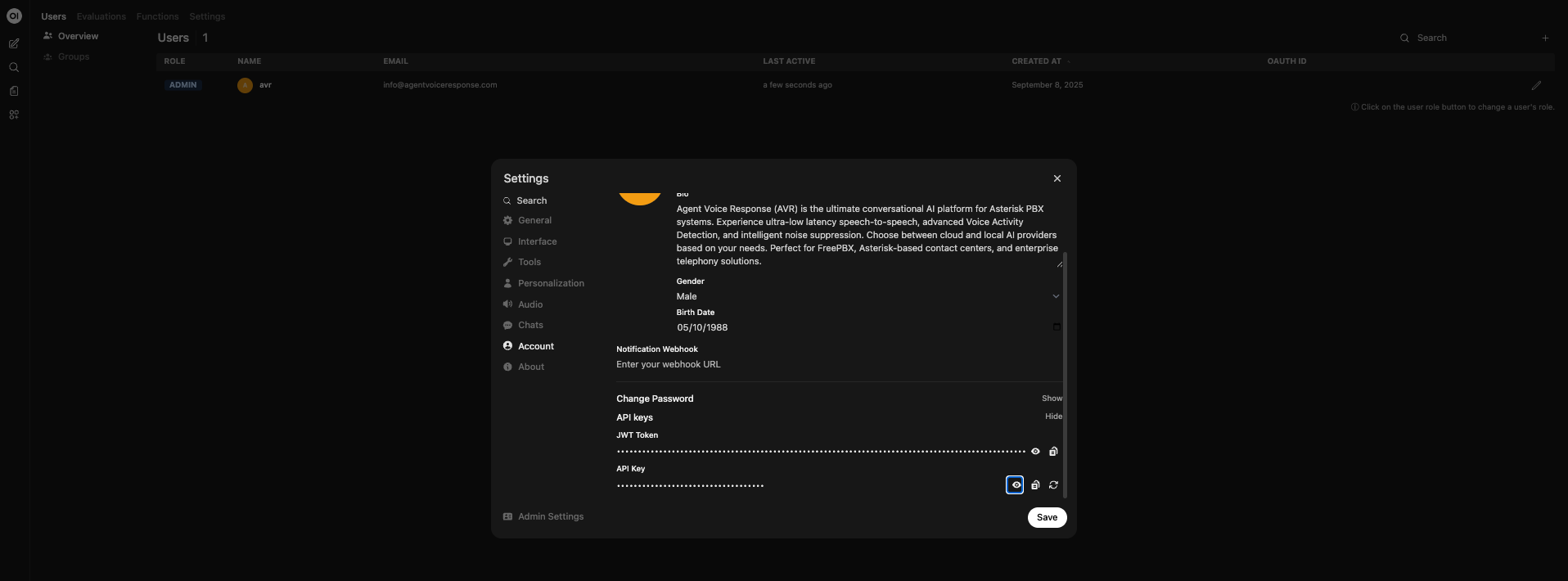
- Generate an API key in the WebUI.
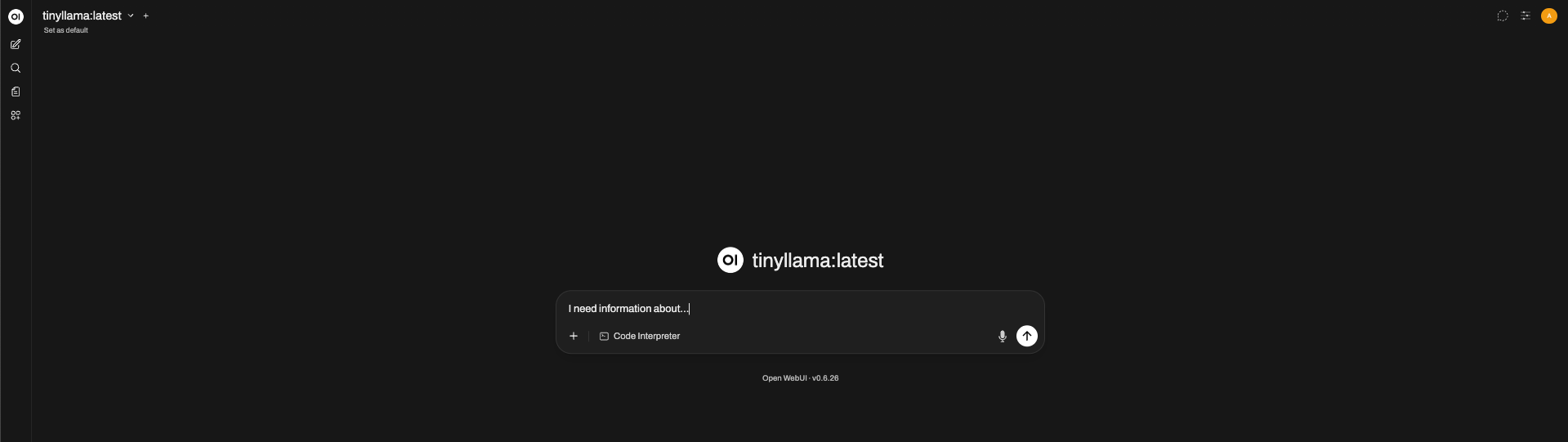
- Test your model
¶ AVR ↔ Ollama Integration
Use the avr-llm-openai adapter to connect Ollama to AVR:
avr-llm-openai:
  image: agentvoiceresponse/avr-llm-openai
  platform: linux/x86_64
  container_name: avr-llm-openai
  restart: always
  environment:
    - PORT=6002
    - OPENAI_BASEURL=http://avr-ollama:11434/v1
    - OPENAI_API_KEY=sk-your-local-key
    - OPENAI_MODEL=tinyllama
    - OPENAI_MAX_TOKENS=${OPENAI_MAX_TOKENS:-100}
    - OPENAI_TEMPERATURE=${OPENAI_TEMPERATURE:-0.0}
    - AMI_URL=${AMI_URL:-http://avr-ami:6006}
    - SYSTEM_PROMPT="You are a helpful assistant."
  networks:
    - avr
- OPENAI_API_KEY: the API key generated in Ollama WebUI.
- OPENAI_MODEL: the model you downloaded (e.g. tinyllama).
¶ TTS with Kokoro
First, start the Kokoro inference server:
avr-kokoro:
  image: ghcr.io/remsky/kokoro-fastapi-cpu
  container_name: avr-kokoro
  restart: always
  ports:
    - 8880:8880
  networks:
    - avr
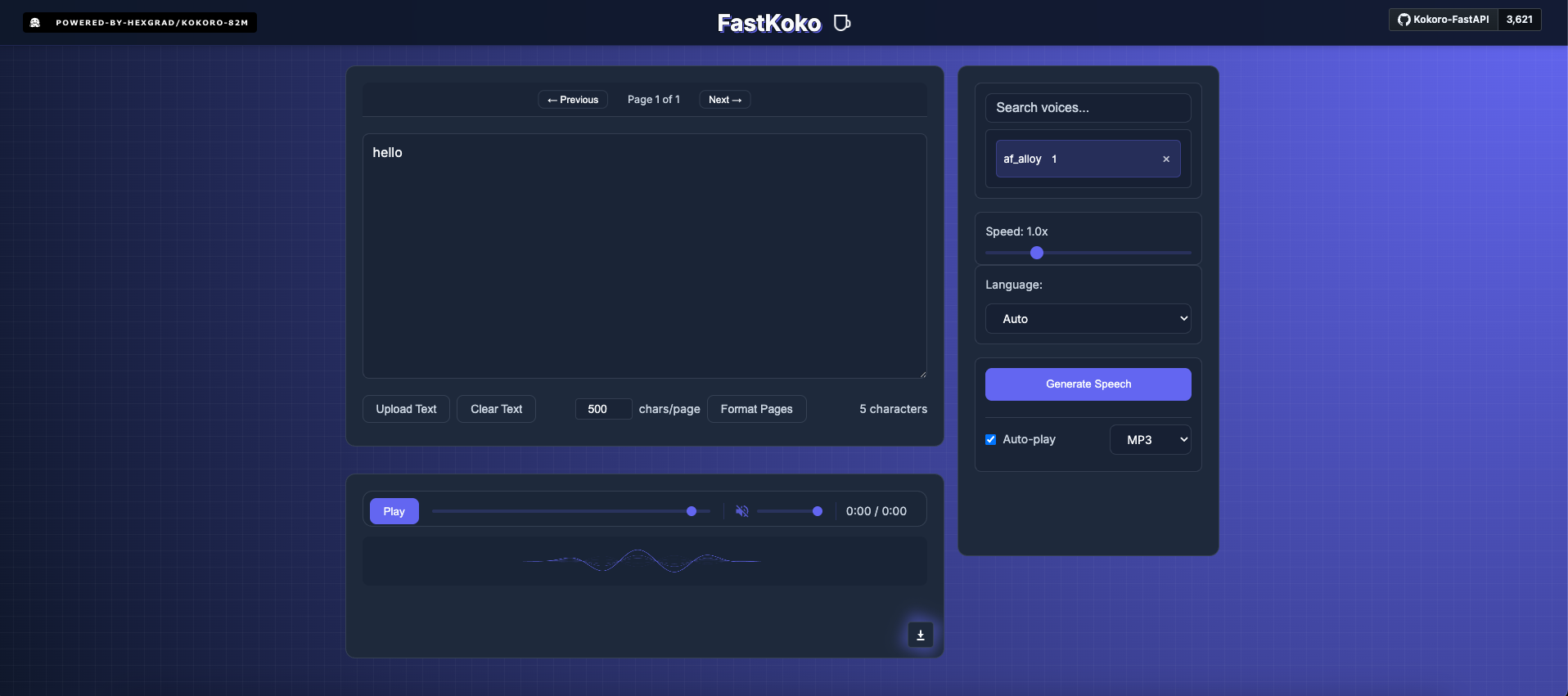
Test it at: http://localhost:8880/web/
Then, connect AVR with the avr-tts-kokoro adapter:
avr-tts-kokoro:
  image: agentvoiceresponse/avr-tts-kokoro
  platform: linux/x86_64
  container_name: avr-tts-kokoro
  restart: always
  environment:
    - PORT=6012
    - KOKORO_BASE_URL=http://avr-kokoro:8880
    - KOKORO_VOICE=${KOKORO_VOICE:-af_alloy}
    - KOKORO_SPEED=${KOKORO_SPEED:-1.3}
  networks:
    - avr
Adjust KOKORO_VOICE and KOKORO_SPEED to your preferences.
¶ Asterisk & AMI (Optional)
If you don’t already have an Asterisk PBX, AVR provides a ready-to-use image:
avr-asterisk:
  image: agentvoiceresponse/avr-asterisk
  platform: linux/x86_64
  container_name: avr-asterisk
  restart: always
  ports:
    - 5038:5038
    - 5060:5060
    - 8088:8088
    - 8089:8089
    - 10000-10050:10000-10050/udp
  volumes:
    - ./asterisk/conf/manager.conf:/etc/asterisk/my_manager.conf
    - ./asterisk/conf/pjsip.conf:/etc/asterisk/my_pjsip.conf
    - ./asterisk/conf/extensions.conf:/etc/asterisk/my_extensions.conf
    - ./asterisk/conf/queues.conf:/etc/asterisk/my_queues.conf
    - ./asterisk/conf/ari.conf:/etc/asterisk/my_ari.conf
  networks:
    - avr

avr-ami:
  image: agentvoiceresponse/avr-ami
  platform: linux/x86_64
  container_name: avr-ami
  restart: always
  environment:
    - PORT=6006
    - AMI_HOST=${AMI_HOST:-avr-asterisk}
    - AMI_PORT=${AMI_PORT:-5038}
    - AMI_USERNAME=${AMI_USERNAME:-avr}
    - AMI_PASSWORD=${AMI_PASSWORD:-avr}
  ports:
    - 6006:6006
  networks:
    - avr
¶ Performance Considerations
- CPU mode (default) works for testing but introduces high latency.
- For production use, switch to GPU-enabled Docker images for:
- Ollama (LLM inference)
- Kokoro (TTS synthesis)
This drastically reduces response times and improves the conversational flow.
¶ Environments
| Variable | Description | Example Value |
|---|---|---|
| ASR (Vosk) | ||
| PORT | Port on which the Vosk ASR service runs | 6010 |
| MODEL_PATH | Path to the local Vosk model folder | model |
| LLM (Ollama via avr-llm-openai) | ||
| PORT | Port on which the AVR LLM adapter runs | 6002 |
| OPENAI_BASEURL | Base URL for Ollama’s OpenAI-compatible API | http://avr-ollama:11434/v1 |
| OPENAI_API_KEY | API key generated in Ollama WebUI | sk-local-12345 |
| OPENAI_MODEL | Name of the Ollama model to use | tinyllama |
| OPENAI_MAX_TOKENS | Max tokens per response | 100 |
| OPENAI_TEMPERATURE | Randomness control (0.0–1.0) | 0.0 |
| SYSTEM_PROMPT | Custom system instructions for the assistant | "You are a helpful assistant." |
| TTS (Kokoro) | ||
| PORT | Port on which the Kokoro TTS adapter runs | 6012 |
| KOKORO_BASE_URL | Base URL of the Kokoro inference server | http://avr-kokoro:8880 |
| KOKORO_VOICE | Voice to use for synthesis | af_alloy |
| KOKORO_SPEED | Speaking rate | 1.3 |
| Asterisk / AMI | ||
| PORT | Port on which the AVR AMI adapter runs | 6006 |
| AMI_HOST | Hostname of the Asterisk container | avr-asterisk |
| AMI_PORT | Port for AMI connection | 5038 |
| AMI_USERNAME | AMI username | avr |
| AMI_PASSWORD | AMI password | avr |
¶ Complete Docker Compose Example
services:
  avr-core:
    image: agentvoiceresponse/avr-core
    platform: linux/x86_64
    container_name: avr-core
    restart: always
    environment:
      - PORT=5001
      - ASR_URL=http://avr-asr-vosk:6010/speech-to-text-stream
      - LLM_URL=http://avr-llm-openai:6002/prompt-stream
      - TTS_URL=http://avr-tts-kokoro:6012/text-to-speech-stream
      - INTERRUPT_LISTENING=true
      - SYSTEM_MESSAGE="Hello, how can I help you today?"
    ports:
      - 5001:5001
    networks:
      - avr

  avr-asr-vosk:
    image: agentvoiceresponse/avr-asr-vosk
    platform: linux/x86_64
    container_name: avr-asr-vosk
    restart: always
    environment:
      - PORT=6010
      - MODEL_PATH=model
    volumes:
      - ./model:/usr/src/app/model
    networks:
      - avr

  avr-tts-kokoro:
    image: agentvoiceresponse/avr-tts-kokoro
    platform: linux/x86_64
    container_name: avr-tts-kokoro
    restart: always
    environment:
      - PORT=6012
      - KOKORO_BASE_URL=http://avr-kokoro:8880
      - KOKORO_VOICE=${KOKORO_VOICE:-af_alloy}
      - KOKORO_SPEED=${KOKORO_SPEED:-1.3}
    networks:
      - avr

  avr-kokoro:
    image: ghcr.io/remsky/kokoro-fastapi-cpu
    container_name: avr-kokoro
    restart: always
    ports:
      - 8880:8880
    networks:
      - avr

  avr-llm-openai:
    image: agentvoiceresponse/avr-llm-openai
    platform: linux/x86_64
    container_name: avr-llm-openai
    restart: always
    environment:
      - PORT=6002
      - OPENAI_BASEURL=http://avr-ollama:11434/v1
      - OPENAI_API_KEY=sk-
      - OPENAI_MODEL=tinyllama
      - OPENAI_MAX_TOKENS=${OPENAI_MAX_TOKENS:-100}
      - OPENAI_TEMPERATURE=${OPENAI_TEMPERATURE:-0.0}
      - AMI_URL=${AMI_URL:-http://avr-ami:6006}
      - SYSTEM_PROMPT="You are a helpful assistant."
    networks:
      - avr

  avr-ollama:
    image: ollama/ollama
    container_name: avr-ollama
    restart: always
    ports:
      - 11434:11434
    volumes:
      - ./ollama:/root/.ollama
    networks:
      - avr

  avr-ollama-web:
    image: ghcr.io/open-webui/open-webui
    container_name: avr-ollama-web
    restart: always
    ports:
      - 3001:8080
    volumes:
      - ./ollama-web:/app/backend/data
    environment:
      - OLLAMA_BASE_URL=http://avr-ollama:11434
    networks:
      - avr

  avr-asterisk:
    image: agentvoiceresponse/avr-asterisk
    platform: linux/x86_64
    container_name: avr-asterisk
    restart: always
    ports:
      - 5038:5038
      - 5060:5060
      - 8088:8088
      - 8089:8089
      - 10000-10050:10000-10050/udp
    volumes:
      - ./asterisk/conf/manager.conf:/etc/asterisk/my_manager.conf
      - ./asterisk/conf/pjsip.conf:/etc/asterisk/my_pjsip.conf
      - ./asterisk/conf/extensions.conf:/etc/asterisk/my_extensions.conf
      - ./asterisk/conf/queues.conf:/etc/asterisk/my_queues.conf
      - ./asterisk/conf/ari.conf:/etc/asterisk/my_ari.conf
    networks:
      - avr

  avr-ami:
    image: agentvoiceresponse/avr-ami
    platform: linux/x86_64
    container_name: avr-ami
    restart: always
    environment:
      - PORT=6006
      - AMI_HOST=${AMI_HOST:-avr-asterisk}
      - AMI_PORT=${AMI_PORT:-5038}
      - AMI_USERNAME=${AMI_USERNAME:-avr}
      - AMI_PASSWORD=${AMI_PASSWORD:-avr}
    ports:
      - 6006:6006
    networks:
      - avr

networks:
  avr:
    name: avr
    driver: bridge
    ipam:
      config:
        - subnet: 172.20.0.0/24